

Compliance Chat is an AI assistant that can answer your questions about childcare regulations. Use it when you need quick answers about staff-to-child ratios, what to do in specific situations, documentation requirements, or safety and emergency procedures.Documentation Index
Fetch the complete documentation index at: https://readyrule.com/docs/llms.txt
Use this file to discover all available pages before exploring further.
Quick start: get an answer fast
Open the chat
Click “Ask AI” in the menu on the left side of the screen. You will see a personalized welcome with your name and facility.
Type your question
At the bottom of the screen, type what you want to know and press Enter.Example questions:
- “How many toddlers can I have in my room with 2 staff?”
- “What should I do if a parent is late for pickup?”
- “How do I document an incident?”
Common questions to ask
Ratios
Ask: “How many [age group] children can I supervise alone?” Example: “How many preschoolers can I have with just me in the room?” The AI will tell you the maximum number based on California rules.Incident documentation
Ask: “How do I document [type of incident]?” Example: “How do I document a child’s minor injury?” The AI will explain what to write down, who needs to be notified, and where to file the report.Emergency procedures
Ask: “What do I do if [emergency situation]?” Example: “What do I do if a child has an allergic reaction?” The AI gives you step-by-step guidance. For actual emergencies, always follow your facility’s emergency procedures first and call 911 if needed.Tips for getting good answers
| Instead of… | Try… |
|---|---|
| ”What are the ratios?" | "What’s the ratio for 2-year-olds in a center?" |
| "What if a child gets hurt?" | "How do I document a scraped knee?" |
| "Can parents be late?" | "What do I do if a parent is 30 minutes late?” |
Quick action buttons
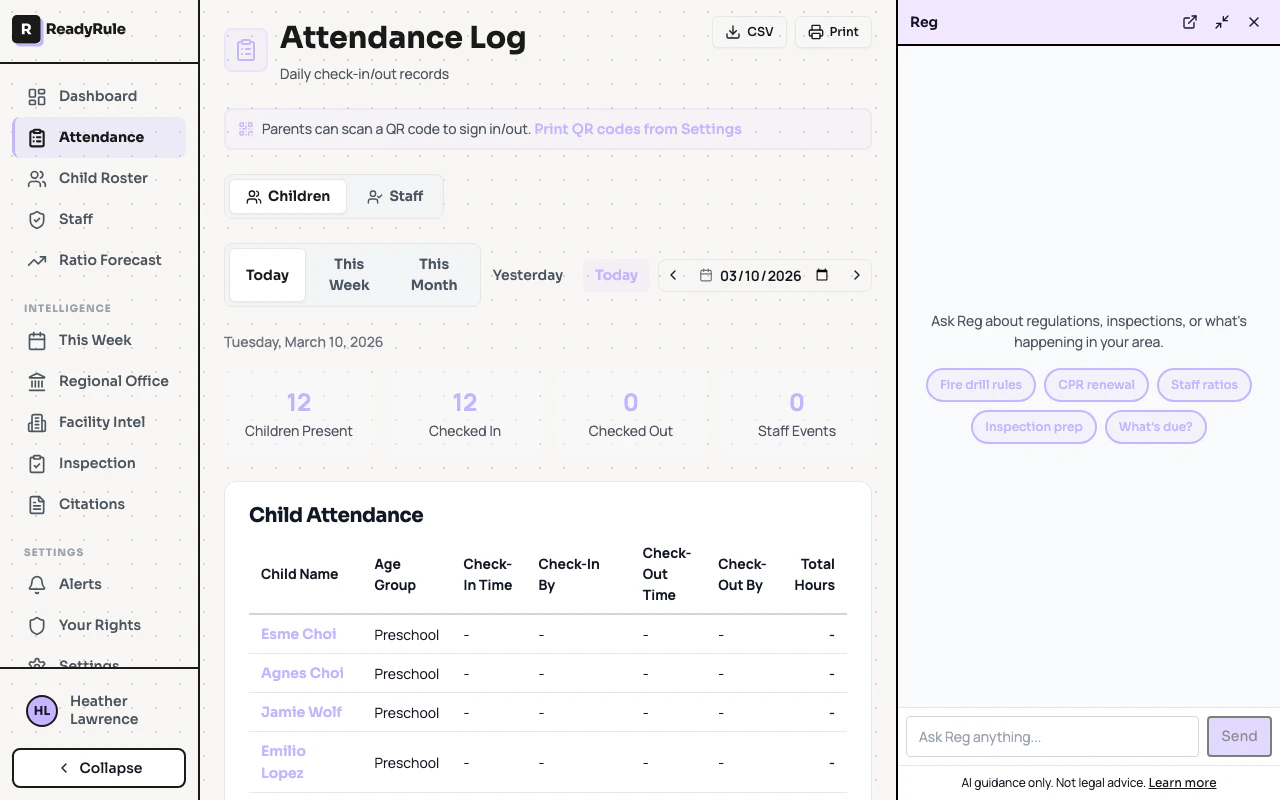
When you open a new chat, you will see quick action buttons:- Fire drill rules — Quick fire safety info
- CPR renewal — Check your certification status
- Staff ratios — Get ratio requirements for your room
- Inspection prep — What to know before an inspection
- What’s due? — See what’s coming up
Sharing an answer
Hover over the AI’s answer and click the share icon:- Copy — Paste it into a note or message
- Print — Print it to post in your classroom
- Email — Send it to yourself or your director
Finding your past questions
Your previous chats show up in the list on the left side. Click any past conversation to see it again, or use the search box to find specific topics.When to ask your director instead
Use the AI for quick reference, but talk to your director for:- Anything involving a specific child’s situation
- Parent conflicts or complaints
- Unusual incidents
- Questions about your facility’s specific policies
- Anything you are unsure about
Troubleshooting
The AI is wrong about something
The AI is wrong about something
AI can make mistakes. If an answer seems wrong, ask a follow-up to clarify, check with your director, and remember that your facility’s policies take priority.
I can't access the chat
I can't access the chat
Make sure you are logged into ReadyRule. If you still can’t access it, ask your director to check your account permissions.
The answer is confusing
The answer is confusing
Ask a follow-up like “Can you explain that more simply?”, “What does [term] mean?”, or “Give me the short version.”
Quick reference
| I want to… | Do this |
|---|---|
| Ask a question | Type in the box at the bottom, press Enter |
| Quick question | Click a quick action button |
| Start fresh | Click the [+] button |
| Copy an answer | Hover over response > share icon > Copy |
| Print an answer | Hover over response > share icon > Print |
| Find old answers | Click a conversation in the left list |
| Search | Type in the search box |