

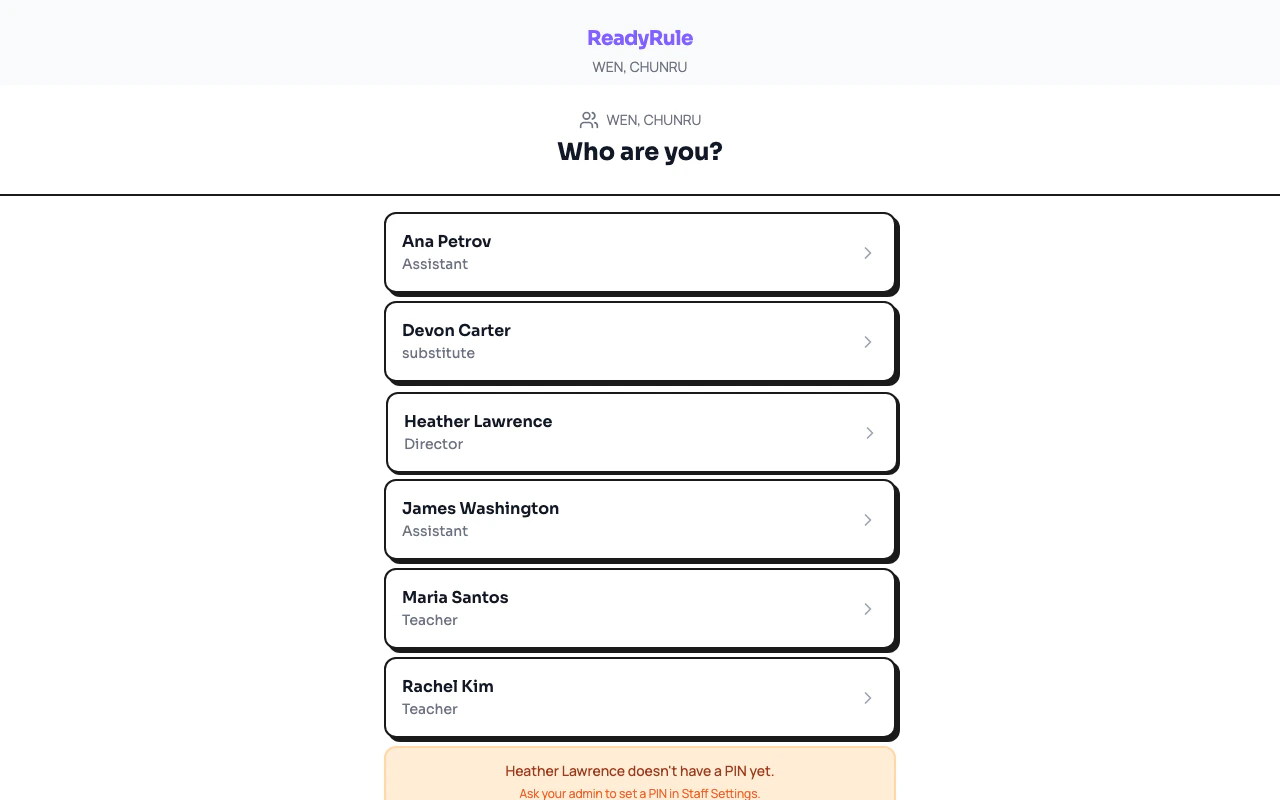
The staff kiosk is a shared-device sign-in page that your facility bookmarks on a tablet or computer near the entrance. Any staff member can clock in or out by selecting their name and entering their PIN.Documentation Index
Fetch the complete documentation index at: https://readyrule.com/docs/llms.txt
Use this file to discover all available pages before exploring further.
Quick start
Find your name
On the kiosk screen, scroll through the staff list and tap your name. Each entry shows your role and current status.
Enter your PIN
Type your personal PIN on the keypad. If your PIN is verified, you proceed to the action screen.
How it works
The kiosk page runs at/staff-kiosk/{facilityId} and does not require a logged-in session. This makes it ideal for a shared tablet at your facility entrance.
After you complete an action, the kiosk shows a confirmation screen for 5 seconds, then automatically returns to the staff list for the next person.
Two sign-in options
Your facility may offer two ways to check in:| Method | URL | Best for |
|---|---|---|
| Kiosk (PIN) | /staff-kiosk/{facilityId} | Shared tablet at the facility |
| QR (session) | /staff-qr/{facilityId} | Scanning a QR code on your personal phone |
Troubleshooting
PIN not working
PIN not working
Double-check that you are entering the correct PIN. If you have forgotten it, ask your administrator to reset it.
Name not on the list
Name not on the list
Only active staff members appear on the kiosk. If you do not see your name, confirm with your administrator that you have been added as staff.