

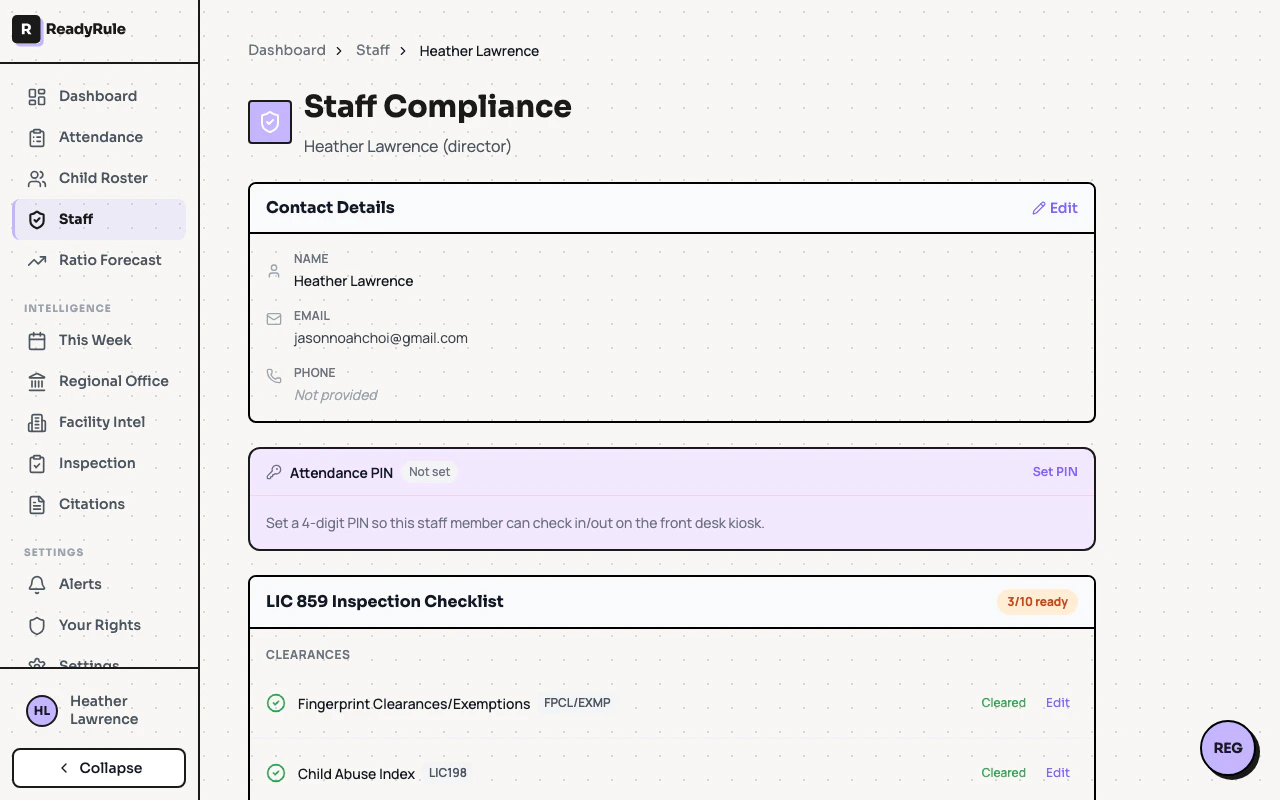
Your profile page is where you manage your personal information, certifications, clearance status, and notification preferences. It is separate from facility-level settings, which only administrators can access.Documentation Index
Fetch the complete documentation index at: https://readyrule.com/docs/llms.txt
Use this file to discover all available pages before exploring further.
Quick start
Update your details
Edit your first name, last name, and phone number. Your email is read-only — contact support to change it.
Account details
Your profile shows your name, email, and phone number. You can update your name and phone directly. Changes save immediately after you click Save.Clearances
The My Clearances section shows the status of your background checks:- Criminal Record Clearance — current status of your criminal background check
- Child Abuse Index (CACI) — current status of your CACI check
Certifications
You can add, edit, and delete your own certifications. Each certification shows:- Certification type (CPR/First Aid, Mandated Reporter, etc.)
- Expiration date
- Status badge: Current, Expiring soon (within 30 days), or Expired
Notification preferences
At the bottom of the profile page, configure how you receive notifications — email, SMS, in-app, or a combination. Set quiet hours to avoid alerts outside of work time.Troubleshooting
Cannot see My Certifications
Cannot see My Certifications
The certifications section requires an active staff record. If you do not see it, your administrator may not have linked your account as staff yet.
Cannot change my email
Cannot change my email
Email changes require support assistance for security reasons. Contact the ReadyRule support team to update your email address.