

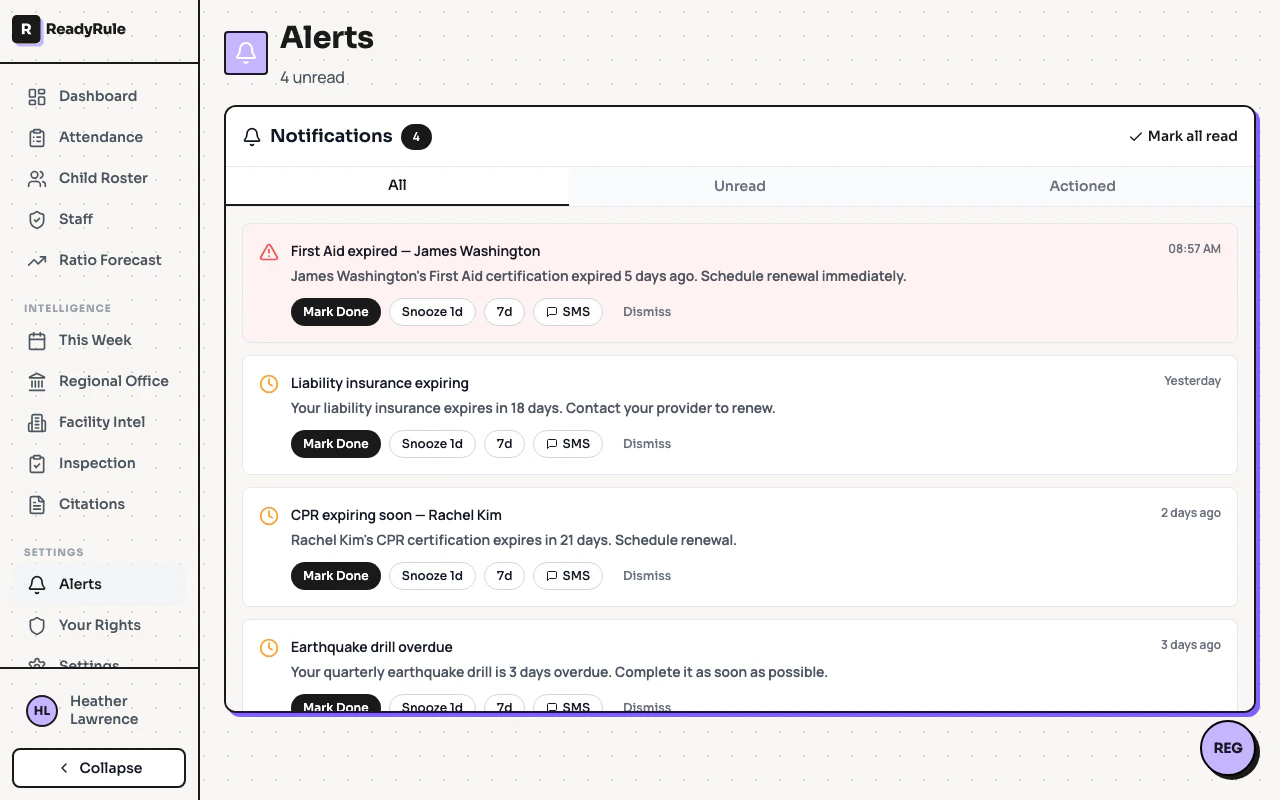
The alerts page is your central inbox for compliance notifications. It shows citation deadlines, follow-ups, certification expirations, and other action items that need your attention.Documentation Index
Fetch the complete documentation index at: https://readyrule.com/docs/llms.txt
Use this file to discover all available pages before exploring further.
Quick start
Review grouped alerts
Alerts are grouped by date: Today, This Week, and Earlier. Unread alerts are highlighted.
Alert types
ReadyRule generates alerts for several compliance events:| Alert type | Description |
|---|---|
| Citation deadlines | Plan-of-correction due dates approaching or overdue |
| Certification expiring | Staff certifications expiring within 30 days |
| Background check | Clearance status changes or pending items |
| Attendance gaps | Missing sign-in or sign-out records |
| Ratio warnings | Staff-to-child ratio approaching limits |
Managing alerts
- Mark as read — click an individual alert to update its status
- Mark all read — use the bulk action to clear all unread notifications
- SMS notification — some alerts support sending an SMS reminder directly from the alert
- Resolve — follow the alert’s link to the relevant page and complete the required action
Troubleshooting
Alerts are not appearing
Alerts are not appearing
Verify your notification preferences in Settings. Some alert types can be toggled on or off based on your preferences.
Cannot dismiss an alert
Cannot dismiss an alert
Some alerts require action before they can be resolved. Follow the link in the alert to complete the necessary step.