

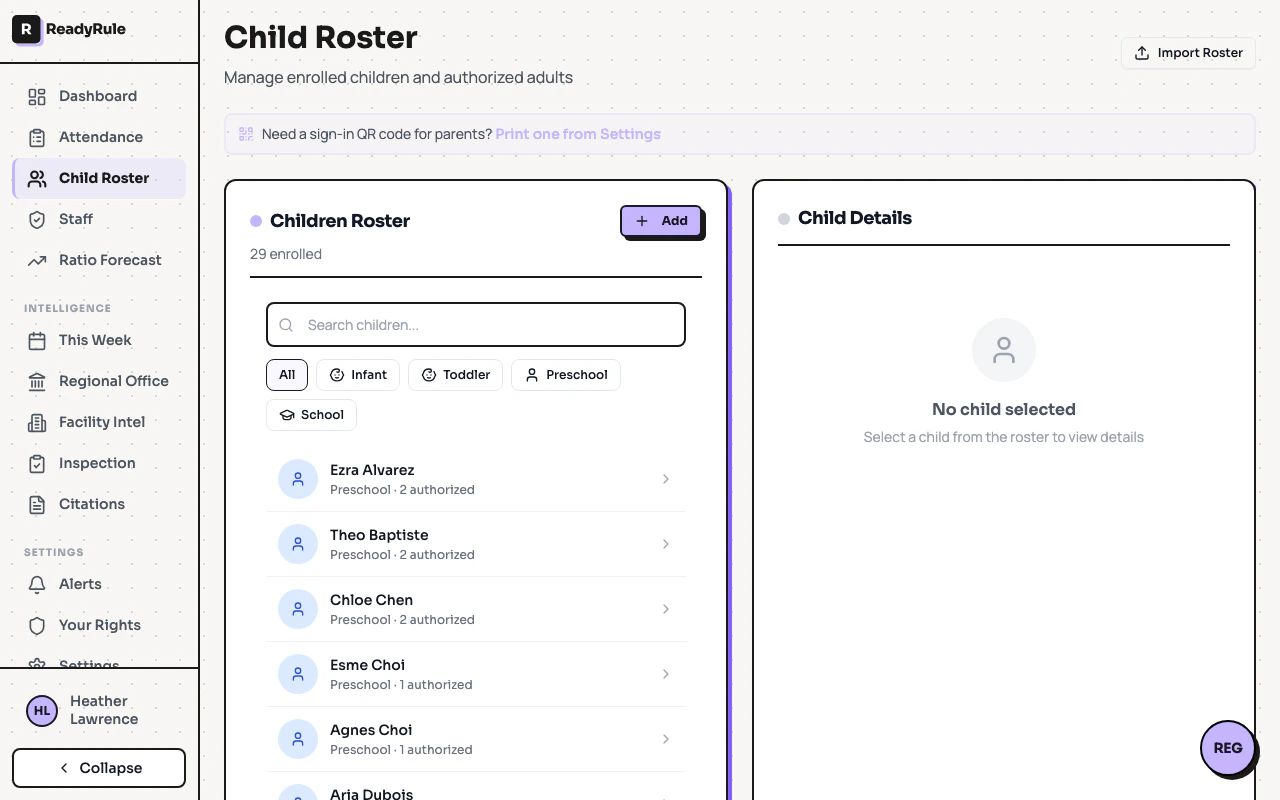
The child roster page is where you manage enrolled children and their authorized guardians. You can add children individually, link guardians with pickup permissions, and import your entire roster from a CSV file.Documentation Index
Fetch the complete documentation index at: https://readyrule.com/docs/llms.txt
Use this file to discover all available pages before exploring further.
Quick start
Add a child
Click Add Child and enter the child’s name, age group, and date of birth. Add their primary contact (parent or guardian) with phone number and relationship.
Adding children
When you add a child, you also create their primary contact in one step. ReadyRule:- Creates the authorized adult first (validates phone number)
- Creates the child record
- Links the adult to the child with default permissions
CSV import
For bulk enrollment, use the Import Roster button to upload a CSV file. Three import types are supported:| Type | What it imports |
|---|---|
| Roster | Children with up to two parents each |
| Children | Children only (no parent links) |
| Adults | Authorized adults only |
Editing and removing
- Edit a child — click a child’s name to update their details or age group
- Remove a child — sets the child’s enrollment status to inactive (soft delete)
- Edit a guardian — update name, phone, email, or relationship
- Unlink a guardian — remove a guardian’s authorization for a specific child
Troubleshooting
CSV import shows errors
CSV import shows errors
Verify your CSV columns match the expected format. Phone numbers must be valid US numbers. The import reports how many records were imported and how many were skipped.
Guardian already registered error
Guardian already registered error
If a guardian’s phone or email is already in the system, ReadyRule links the existing record instead of creating a duplicate. This is expected behavior.