

Your Citation Intelligence report shows your facility’s citation history from CCLD (Community Care Licensing Division). Use it to understand your citations, track repeat patterns, and take corrective action.Documentation Index
Fetch the complete documentation index at: https://readyrule.com/docs/llms.txt
Use this file to discover all available pages before exploring further.
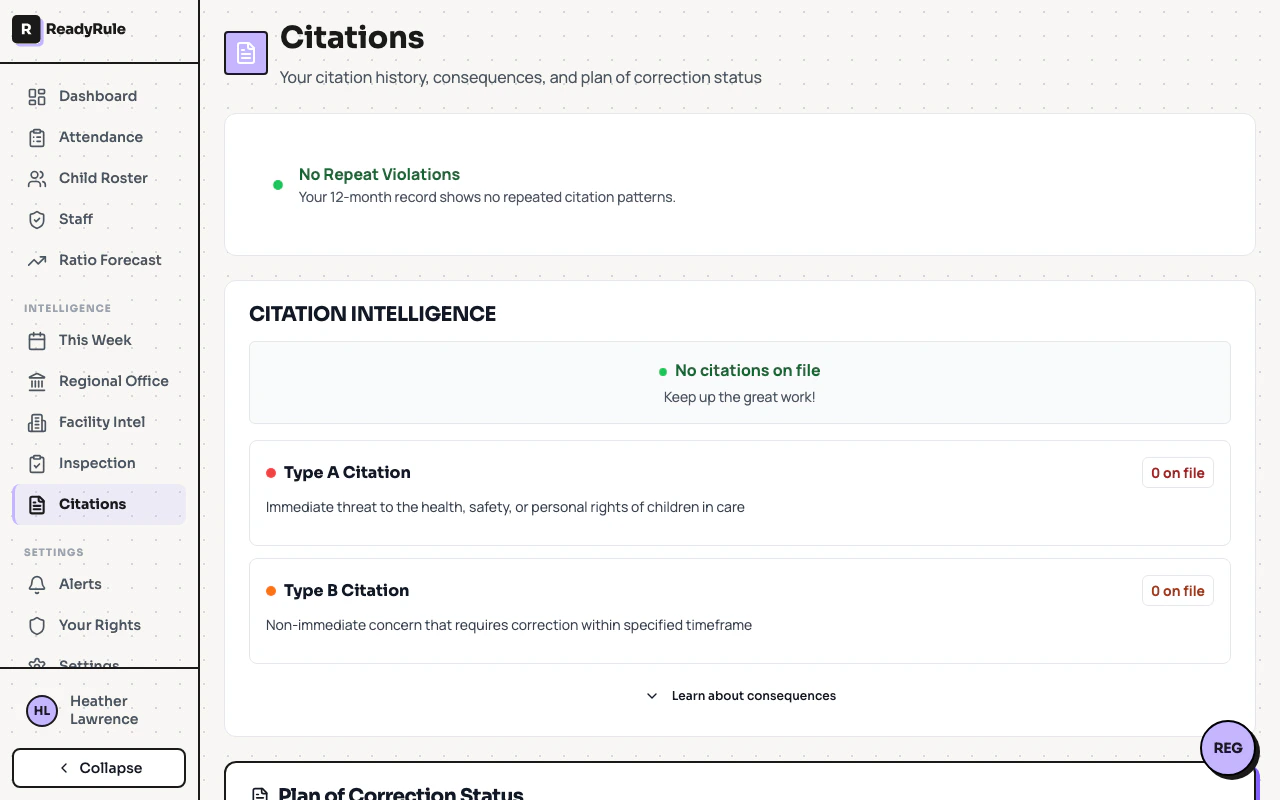
Finding your citations
Navigate to Citations in the sidebar under Intelligence. You’ll see:- Total citation count and visit history
- Citation codes as clickable badges (each maps to a Title 22 regulation)
- Type A and Type B breakdowns
- Consequences section explaining what each type means
Understanding citation types
Type A citations (serious)
Type A citations (serious)
Indicate an immediate threat to children’s health, safety, or personal rights.
- Must be posted at your facility where parents can see
- Appears on the public CDSS licensing database
- You must notify parents
- Fees (50/day) apply if not corrected by your POC date
- Repeated Type A violations can lead to probation or license revocation
Type B citations (non-immediate)
Type B citations (non-immediate)
Non-immediate concerns that need correction within a specified timeframe.
- Must be posted at your facility
- Appears on public licensing database
- Follow-up inspection to verify correction
- Fees only if not corrected by POC date
- Same citation 2+ times in 12 months = automatic escalation to Type A severity
Repeat violation alerts
If the same citation code appears 2+ times within 12 months, you’ll see a Repeat Violation Alert with a risk level:| Risk level | What it means |
|---|---|
| Moderate | 2 occurrences in 12 months. Next one escalates. |
| High | 3 occurrences. Already at escalation level. |
| Critical | 4+ occurrences. Probation risk. |
What to do
No citations
You’ll see a clean record message. Keep it up.Citations without repeats
- Review your citation codes
- Confirm you corrected each by the POC date
- Keep documentation showing corrections
Repeat violations
- Identify which citation keeps recurring
- Address the root cause (not just the symptom)
- Document your fix with photos, receipts, or updated policies
- Brief your staff on the corrected protocol